
InVideo Editor adds editable timelines for Agent Two edits
A creator used InVideo’s Agent Two to plan a nearly four-minute film, then moved generated and uploaded footage into an editable timeline. The editor agent assembles footage from natural-language instructions while preserving manual control.
TL;DR
- A nearly four-minute film used Agent Two for the production plan, then handed its generated sequences to an editable edit timeline, according to CharaspowerAI's workflow.
- Character and location sheets carried continuity work before generation, with the goal of holding faces, costumes, places, and visual language steady across a longer project in CharaspowerAI's location-sheet post.
- An AI editing agent assembled footage from plain-language direction while the timeline remained editable, CharaspowerAI's editor demo reported.
- The media pool accepts camera footage, generated clips, and existing project assets, CharaspowerAI's upload walkthrough said.
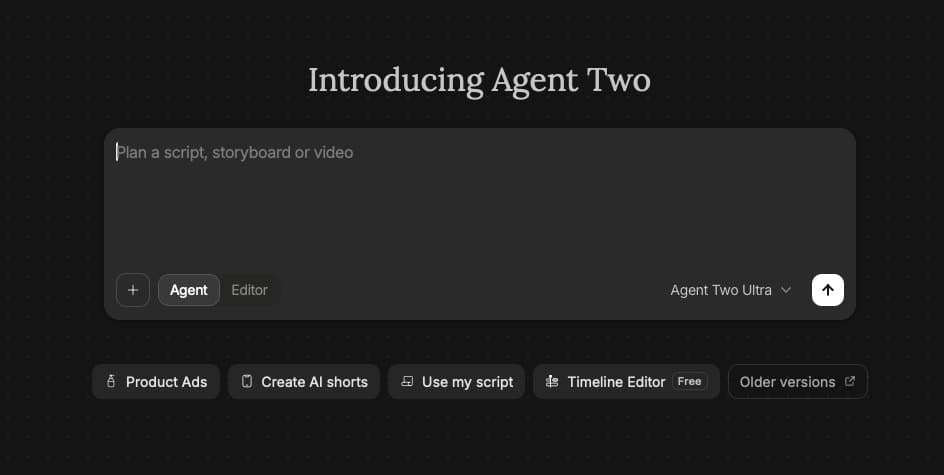
InVideo's Slate announcement says its editor inherits the project’s script, shot breakdowns, and approved takes from Agent Two. Its Agent Two product page also says the editor accepts external footage, fonts, and jingles, alongside conversational edits and familiar Premiere and DaVinci shortcuts.
Character and location sheets
CharaspowerAI described the near-four-minute project as a production package built in Agent Two before the final edit:
- Character sheets
- Location sheets
- A playbook
- Sequences
- Continuity
The creator singled out character and location sheets as the continuity mechanism. The stated target was a stable face, outfit, location, and visual language, rather than reconstructing those decisions in every new shot.
InVideo frames that retained material as persistent context in its AI animation guide, which says Agent Two holds style, character, and shot-breakdown information across a production.
Editable timeline assembly
After generating the world and sequences, CharaspowerAI moved the footage into what the posts call the new invideo Editor, created an editing agent, and described the desired assembly in natural language. The agent performed repetitive timeline work, while the creator could still edit the result.
The handoff can include three kinds of media:
- Camera footage
- Generated clips
- Existing project assets
CharaspowerAI said those files go into the media pool, where the agent can start assembling them on the editable timeline from a text request in the upload walkthrough. In a separate setup post, the creator said both Agent Two and the editor were accessible from InVideo’s homepage in CharaspowerAI's setup post.
InVideo calls the embedded editor Slate in its official launch post. The company says Slate can line up approved shots and apply conversational changes without requiring a fresh brief, because Agent Two already holds the project context.
One still, then new beats
Another creator, techhalla, began with one character still and a story, then directed Agent Two through stills, animation, and the edit techhalla's production post. The following generation used a stored desert character image as a reference, then extended the story with a new action sequence.
The continuation added a child character sheet and a clip built around a chasm, rescue, and horseback escape. techhalla later described Slate as the built-in editor, with live agent previews, and said it could cut clips during the project techhalla's Slate post.