
Magnific uses Claude Opus 5.5 to build a noodle-brand campaign kit
Magnific demonstrates building a noodle brand with Claude Opus 5.5 through MCP. Its Brand Kit extracts colors and locks the illustration style for campaign assets.
TL;DR
- A noodle brand began in one Claude chat: Magnific's campaign demo paired Opus 5.5 with Magnific One through MCP.
- Brand Kit converted guidelines into generation rules, extracting six colors and logo lockups in the company's walkthrough.
- Draft Mode offers 8 or 16 directions for the price of one image before 2K or 4K finalization, according to CharaspowerAI.
- The campaign includes a six-shot animation prompt that repeats its style and character constraints, as detailed in the published shot list.
Buildings bounce on the beat and windows blink in rhythm in Magnific's ad prompt. Brand Kit is listed as a Final-mode feature in Magnific's model guide.
LOOSE ENDS from one chat
Magnific says it built LOOSE ENDS, a noodle brand, using Claude Opus 5.5 and Magnific One connected through MCP. The conversation started with a food-brand brief, then settled on noodles and the name, according to the walkthrough.
Magnific One supplied three parts of the identity:
- Logo
- Color palette
- Illustrations
The connection runs through Magnific's remote MCP server. Its official documentation specifies:
- Endpoint:
https://mcp.magnific.com. - Authentication: Sign in to a Magnific account through OAuth, without managing an API key.
- Billing: Tool calls use the same credit balance as the in-app product.
Brand Kit extraction
Magnific's most useful handoff came after the identity design: it uploaded the generated guidelines into Brand Kit. The company reported three results:
- Logo lockups detected
- Six brand colors extracted
- Typography and illustration style locked in for subsequent images
The still-image prompts explicitly reuse “the same character from the reference,” as published in the images' ALT text. That carries the worker into new scenes without inventing a fresh character description for each one.
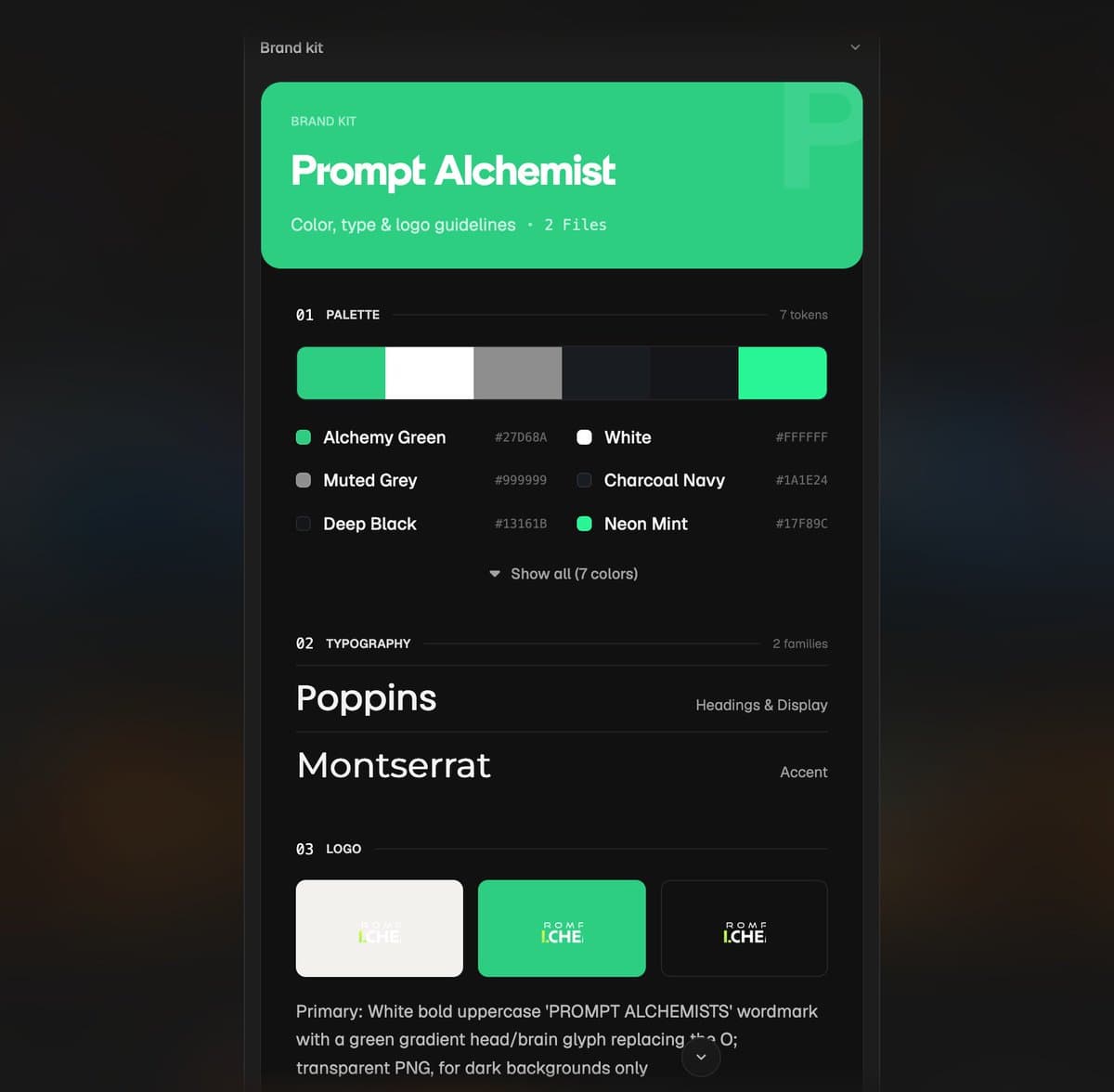
Prompt Alchemists' Brand Kit
CharaspowerAI tested the feature with an existing business, their AI and VFX studio Prompt Alchemists, supplying its logo and website.
The kit organized five parts of the studio's identity, as CharaspowerAI explained:
- Brand colors
- Typography
- Logos
- Visual guidelines
- Creative identity
The creator then reused that kit across visual concepts for filmmaking, VFX, advertising and art direction in a follow-up.
Draft Mode
CharaspowerAI described a three-step workflow for exploring an image before finalizing it:
- Enter one prompt and generate 8 or 16 creative directions for the price of a single image.
- Pick a favorite from variations in composition, lighting, camera angle and mood.
- Finalize the selected direction in 2K or 4K.
The same mode powered cinematic-fashion expansions in ai_artworkgen's test, which included a grid of alternate settings and framings before the final versions.
Draft Mode exploration for a cinematic fashion shoot
Six-shot noodle ad
Magnific published the complete animation prompt, including a duration for each shot. Its repeated instructions establish:
- Style: Flat 2D screen-print illustration, bold motion-graphics animation, heavy grain and slight color misregistration.
- Palette: Chili red, print blue, noodle yellow, ink black and paper cream for the first five shots.
- Character: A deadpan worker with a round red head, blue cap, blue work jacket and dark trousers.
- Exclusions: No gradients or text. The final shot also explicitly excludes letters and logos.
The six beats are:
- Office exit, 4 seconds: The tired worker steps into the night; a yellow noodle strand appears and darts away.
- Street chase, 5 seconds: An extreme low-angle camera follows the worker jogging after the noodle around streetlights.
- Subway surf, 5 seconds: The worker steps onto the strand and rides it along the rails into a tunnel.
- City overhead, 5 seconds: The camera cranes into a top-down view as the noodle loops around blocks and reaches a rooftop.
- Rooftop slurp, 6 seconds: The worker eats one improbably long noodle, with a small eyebrow lift as the comedic beat.
- Empty end frame, 5 seconds: A chili-red strand crosses a cream background, leaving the last two seconds empty and still.
The specified timings total 30 seconds. Each shot has its own mood and color-grade instructions, while the first five repeat the worker and screen-print treatment.
Bloomhead mockups
Brand designer gizakdag shared a separate branding exploration called Bloomhead, crediting Midjourney V8.2 for the logo and Opus 5.5 for the branding in the project post.
A commenter asked what role Claude played in the mockups; the post names the tools without describing that intermediate step.
Desktop motion and access
techhalla also shared two motion experiments made in Magnific Desktop, without naming the video model.
A streetwear sneaker transforms into a robotic version
A Magnific-branded coffee scene moves into a cinematic shot
Brand Kit is available on Magnific. The unlimited Magnific One promotion applies to eligible Desktop plans through October 15, as CharaspowerAI notes in their follow-up; Magnific advertises the same deadline on its pricing page.
The desktop app is available for macOS and Windows and uses the existing Magnific account. It can also mirror a project to a local folder, where new generations arrive as files ready to open in other applications.
That folder sync runs one way: local changes cannot alter the project stored in Magnific.