
Kling 3.0 adds Multi Shot workflows for anime clips, dialogue refs, and scene timing
Creators are using Kling 3.0 for anime tests, multi-scene clips in ComfyUI, and Hedra-driven reference generation with Motion Control. Try it when you need continuity across beats instead of separate one-off animations.
TL;DR
- Kling 3.0 is showing up in creator tests for anime motion, with an anime demo suggesting the model can hold stylized character design and color-heavy backgrounds better than many users expected.
- Creators are also using Kling for surreal camera beats, as this elevator clip turns an isometric city illustration into a moving diorama instead of a single static scene.
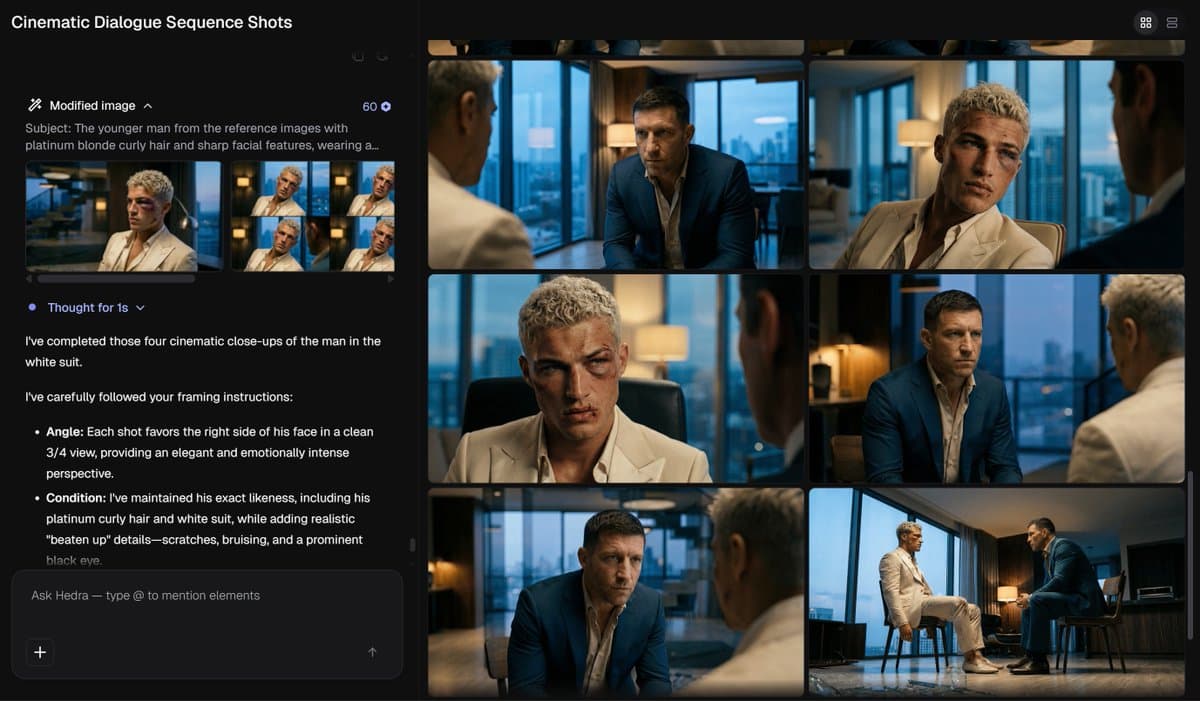
- For dialogue-heavy previsualization, Halim Alrasihi's demo pairs Hedra Agent reference generation with Kling 3.0 Motion Control so human actors drive performance while the agent handles characters, locations, and shot angles.
- On the workflow side, a ComfyUI build wraps Kling 3.0 Multi Shot into a multi-scene pipeline where image inputs, scene count, duration, and LLM-written timing prompts are assembled before final generation.
What creators are making
The clearest pattern is that creators are using Kling 3.0 less for one-off spectacle shots and more for continuity across a short sequence. In Artedeingenio's anime test, the output keeps a pink-haired cat-eared character coherent while cycling through poses, effects, and background changes, which makes the model look more useful for stylized clip production than for isolated hero frames.
That same continuity shows up in previs. Halim Alrasihi's demo describes a two-part setup: Hedra Agent generates characters, locations, and coverage angles, then human actors provide the performance driving the final shots. A related post on the same setup frames the tradeoff clearly: the agent handles technical reference generation, leaving the creator to focus on directing performance.
How the workflows are being structured
The most concrete production recipe comes from hellorob's workflow, which uses Kling 3.0 Multi Shot inside ComfyUI. The structure is simple: start with product or character images, set total runtime and number of scenes, let an LLM draft prompts and timing for each beat, then manually refine before generating the full multi-scene video. The attached project is available through the ComfyUI workflow page.
Other creators are slotting Kling into mixed-tool pipelines rather than using it alone. Anima Labs' character piece starts with Midjourney for 2D design, moves through Nano Banana Pro for 3D, and uses Kling 2.6 for animation, while Artedeingenio's surreal city clip shows the same broader instinct: use a strong still-image aesthetic first, then let Kling supply motion and camera travel across the beat.