
Leonardo adds Seedance 2.0 and 2.0 Fast for video generation
Leonardo added Seedance 2.0 and 2.0 Fast, and creators immediately shared settings for stitching clips from single images inside the new video workflow. The addition matters because another mainstream creator suite now exposes Seedance without separate API setup.
TL;DR
- Leonardo added Seedance 2.0 and Seedance 2.0 Fast to its video workflow, which MayorKingAI's launch post framed around more control, better consistency, and image or video references, while techhalla's repost of Leonardo points to shot-level direction as the pitch.
- Early creator posts turned the launch into a usable workflow fast: techhalla's breakdown starts from a single photo, and the follow-up post shows clip-to-clip stitching by reusing the last frame of one generation as the start of the next.
- Leonardo's surrounding tools are part of the story, too. MayorKingAI's Agent One note pitches revisions without rebuilding a scene, and MayorKingAI's Blueprints thread points to template-based workflows that sit next to Seedance.
- The examples split two ways right away: pzf_ai's animation test shows anime-friendly motion, while techhalla's hammer-throw clip and _VVSVS's action test lean into broadcast realism and harder action beats.
- Seedance is not only a Leonardo story. AIwithSynthia used it on Renoise, AllaAisling used it in Dreamina, and Artedeingenio paired it with Topview within the same weekend.
You can browse Leonardo, jump straight to Renoise, and even inspect the 31 Worlds template page that one creator used with Seedance. The fast reveal from the evidence is practical: Leonardo gave creators a mainstream UI for Seedance, techhalla's thread immediately turned that into a shot-stitching recipe, and Amir Mushich's workflow diagram shows Seedance prompts already getting wrapped inside higher-level creative assistants.
Leonardo rollout
The core launch message was simple: Seedance 2.0 and 2.0 Fast are now selectable inside Leonardo's video stack. In the evidence, that availability gets described less like a raw model drop and more like a directing surface for reference-led shots, with Leonardo's own repost network amplifying the same framing through creators and affiliates.
Stitching clips from one image
The first useful workflow came from techhalla's thread, which breaks the process into a few concrete steps instead of generic hype:
- Start with a source image.
- Open Leonardo Video Gen and choose Seedance 2.0.
- Set length and resolution, with techhalla's settings post showing 10 seconds at 720p in 9:16.
- Write the motion in a second-by-second prompt block.
- Extend the sequence by using the final frame from clip A as the starting image for clip B, according to the stitching explanation.
A separate post from MayorKingAI ties that workflow to Leonardo's Agent One system: swap characters, outfits, or whole scenes without starting over, because the tool remembers the project state and only updates the changed parts.
Animation, realism, and prompt-native motion
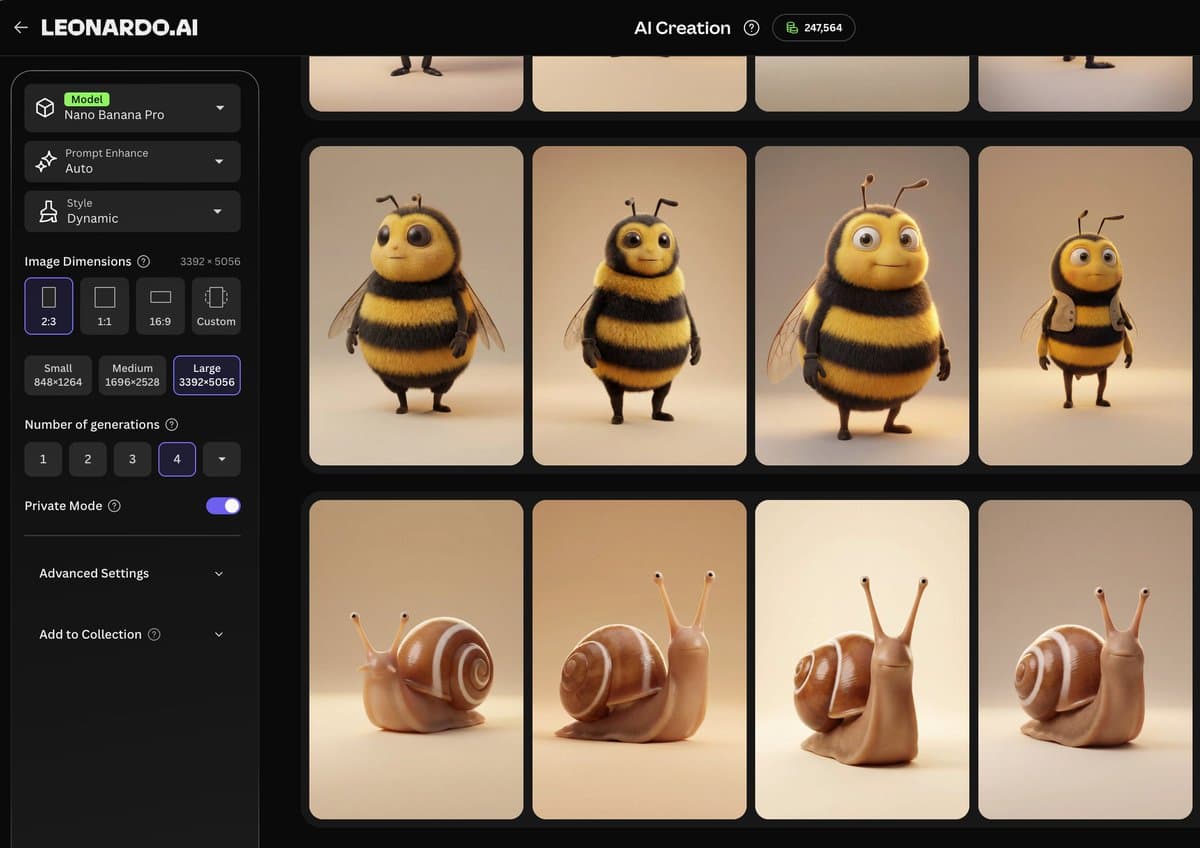
The examples arriving on day one were unusually broad for a short launch window. pzf_ai's clip argues that Seedance can handle animation as well as cinematic realism, and the thread says the characters were first generated inside Leonardo's image tool with Nano Banana Pro.
At the other end, techhalla's hammer-throw post shows how far prompt writers are pushing camera grammar. The attached prompt is basically a shot list: broadcast setup, audio notes, timeline beats, and quality boosters. CharaspowerAI's text VFX example and the shockwave tracking-shot prompt show the same pattern, where creators are writing Seedance prompts more like miniature preproduction documents than single-line text prompts.
Blueprints and motion assistants
Leonardo's adjacent tools matter because they reduce how much blank-page setup the model requires. MayorKingAI's Blueprints post pitches ready-made templates, including an illustrated video restyle flow that keeps the original movement and composition from a 3 to 10 second source clip.
Amir Mushich's post shows the next layer up: a Claude Project that takes a brand image, suggests motion directions, writes a full Seedance 2.0 prompt, iterates if the result misses, and then adds positioning and pricing guidance. The attached workflow diagram turns Seedance from a prompt box into a multi-step production pipeline.
Seedance already spans other creator tools
Leonardo is one new surface for Seedance, not the only one. Over the same weekend, AIwithSynthia posted a Seedance 2.0 clip made on Renoise, AllaAisling ran it through Dreamina and then upscaled with Topaz, and Artedeingenio used a Niji-generated image as reference before animating in Topview.
That spread matters because the model is already behaving like shared infrastructure across creator apps. Leonardo's addition changes access for people who already live in its suite, but the evidence pool shows Seedance prompts, reference images, upscalers, and assistant layers moving across tools almost immediately.