
UNI-1 supports text-to-manga and Pouty Pal workflows in new demos
Official and partner demos show Uni-1 handling localized edits, dense layouts, manga generation and Pouty Pal chibis. Creators can reuse one model across avatar, editorial and comic workflows.
TL;DR
- Luma's info-design demo and editing demo position UNI-1 as more than a style model: the official examples emphasize dense, legible layouts plus localized image edits with minimal spillover.
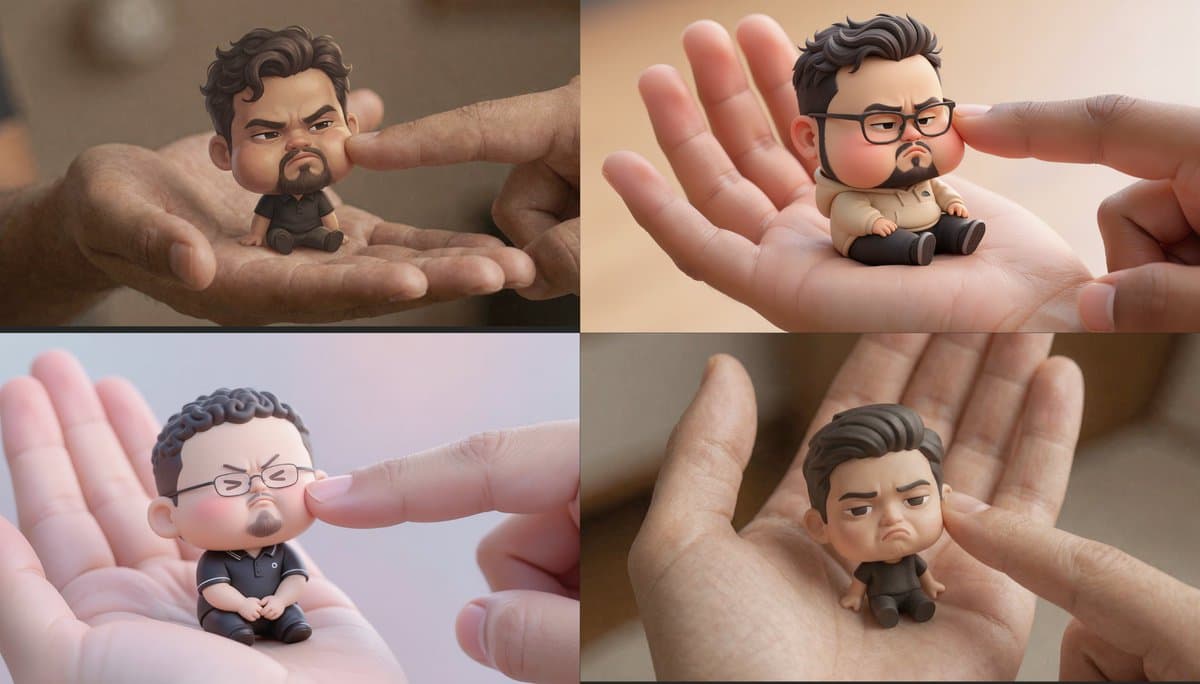
- The same model is also powering a fast “Pouty Pal” avatar recipe, where creators upload a face photo, use UNI-1, and get a palm-sized grumpy chibi in roughly 30 seconds according to starter thread and timing step.
- Community posts from creator example, Pouty Pal post, and family variant show that the chibi workflow is already being reused across self-portraits, avatars, and multi-person character sets.
- A separate text-to-manga demo shows UNI-1 generating a comic from a creator’s X profile, then iterating through character sheets, panel renders, and quality checks with visible self-review steps panel review.
What shipped in the official demos
Luma’s own examples broaden the UNI-1 pitch beyond photoreal image generation. The info-design demo shows calligraphy, architectural blueprints, and editorial infographics with readable labels and strong hierarchy, while Luma’s aesthetic demo claims the model can hold high-level art direction across lighting, color, texture, and genre cues.
The editing side is just as specific. In Luma’s editing demo, UNI-1 keeps a source person recognizable while moving them into a 90s supernatural scene, swaps a portrait into a sports-drama still, and executes a tightly placed architectural instruction like planting a red maple exactly where charred wood meets frosted glass. The same post also shows a whole-scene material transform into an embroidered denim patch without losing the original composition.
How creators are using the Pouty Pal recipe
The Pouty Pal workflow is unusually reproducible because the prompt is public and specific. Hasan Toor’s prompt post describes the core setup: a clear front-facing photo, a big-head small-body chibi posed on an open left palm, a right index finger pressing the cheek, and soft pastel lighting with shallow depth of field; Lloyd’s prompt variant adds a vertical 4:5 composition and extra emphasis on facial expression and hand interaction.
The output look is consistent across creators: toy-like scale, exaggerated cheeks, clean hands, and a near-3D figurine finish. That shows up in examples from creator example, Isaac’s glasses-and-stubble variant Pouty Pal post, and Linus Ekenstam’s family variant, which extends the same formula to “the entire family.” DreamLabLA also turned the recipe into a studio-style character exercise and published the exact production prompt DreamLab demo.
What the text-to-manga demo adds
The manga example points to a more agentic workflow. VentureTwins says UNI-1 read an X profile, wrote a story about a disagreement over a pitch, built character sheets, rendered panels, and then checked its own work before finalizing the sequence.
The useful detail for comic makers is the review loop. In VentureTwins’ process thread, the system exposes its step planning and rejects style-inconsistent outputs; the follow-up panel review says it also rerenders panels when dialogue or speech bubbles come back garbled. That makes UNI-1 look less like a one-shot image model and more like a controllable visual pipeline spanning avatars, editorial layouts, and sequential art.