
Magnific connects Blender animation to ChatGPT for game-style video
Magnific documents a workflow connecting Blender to ChatGPT through its plugin and local MCP. Illusion references and Move overlays turn grey 3D animation into finished game-style scenes.
TL;DR
- ChatGPT directs Blender through a local MCP connection in Magnific's game-style video workflow.
- Illusion applies a reference image's characters, materials and lighting while following the original animation, as specified in the rooftop walkthrough.
- Game-interface graphics arrive afterward: Magnific's Move prompt adds the HUD to the finished video.
The clever constraint in Magnific's casino prompt is a pause: ChatGPT must show a still and identify missing rigs before animation. A rooftop scene gets its wardrobe, marble and nighttime skyline from a separately generated reference image.
Blender's four-second casino approach
The documented setup links the Magnific Blender plugin to ChatGPT desktop through a local MCP connection. A separate Magnific MCP connection provides access to Illusion and Move.
The casino prompt gives ChatGPT four jobs:
- Build the blockout: a grey scene of a motorcyclist approaching a casino entrance.
- Place the camera: behind and slightly above the rider, with the entrance visible ahead.
- Pause for approval: show a still and flag missing rigs or motion assets.
- Animate and export: a four-second approach with a steady follow camera and no interface graphics.
Creative, Precision and Draft
Illusion runs on Seedance 2.5. Magnific describes three controls across its launch thread:
- Creative: transforms the whole video's look, according to Magnific's mode breakdown.
- Precision: chooses which subject changes and when, using the same mode controls.
- Draft: tests references and visual directions before final generation, as demonstrated in Magnific's Draft walkthrough.
Creator techhalla also demonstrated replacing both a character and the surrounding environment in a separate style-swap demo.
techhalla's character and environment transformation
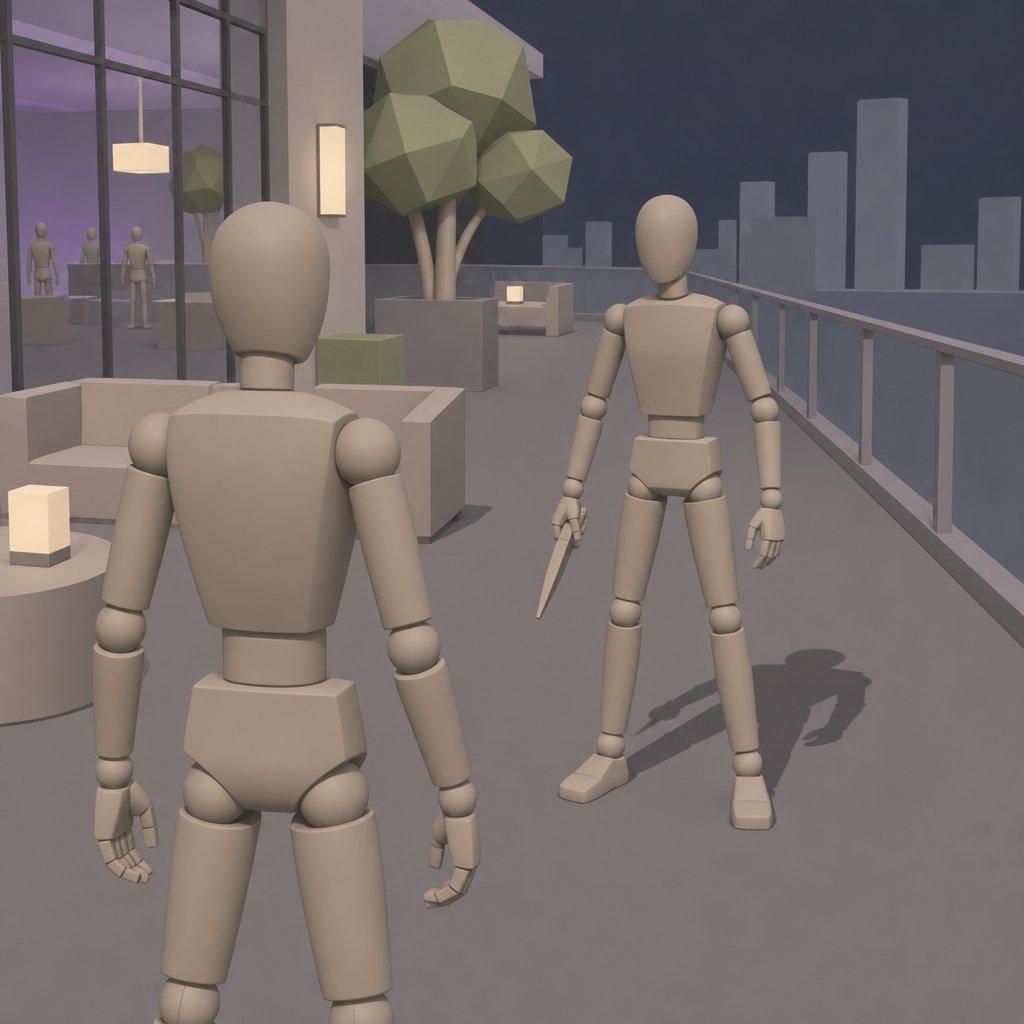
One frame sets the rooftop look
Magnific uploads the animation and a still frame to the same project, then asks ChatGPT to generate a game-style reference through Magnific MCP. The reference prompt specifies:
- Composition: the same framing, with a man in a black turtleneck facing a man in a beige trench coat.
- Production design: polished marble, glass railings, warm terrace lighting and a nighttime skyline.
- Exclusions: no HUD, text or logos.
ChatGPT then calls Illusion with the original animation and the saved reference, checking that both assets are accessible first. The editing prompt requests the reference's appearance while following the source camera, action and timing “as closely as possible,” with no new actions.
Move adds the HUD
Move receives the finished video and a separate HUD reference image, saved together in the same Magnific project. Magnific's overlay prompt requests:
- A small minimap with an animated marker suggesting character movement.
- Health bars.
- A mission label.
- An ammo counter along the bottom.
The interface takes thin ivory lines and muted red accents from the reference. The prompt asks Move to leave the underlying video unchanged, including its duration and framing.
Access, credits and export limits
Illusion is available on Magnific, through MCP, and in its desktop and mobile apps, according to Magnific's announcement. The Blender plugin guide requires Blender 5.0 or later on Windows, macOS or Linux, with an internet connection while generating.
Magnific's Illusion specifications add several limits:
- Input: clips from 2 to 30 seconds, up to 210 MB, in MP4, MOV, WebM or M4V.
- Output: 480p, 720p or 1080p. Draft produces 480p; 4K is excluded.
- Eligibility: plans that include Seedance 2.5. Relax mode and Enterprise accounts are excluded at launch.
The Magnific MCP FAQ says MCP is available on paid plans. Generating or transforming content through MCP consumes credits even when the model has unlimited generation elsewhere in the plan; credit estimates are available before a run.