
Magnific uses Illusion to place one walking performance in four destinations
Magnific shares prompts for using Illusion to place one walking performance in four destinations. Reused traveler and suitcase references preserve identity while the clip carries the camera movement.
TL;DR
- One walking performance travels through four settings: Magnific's demo reuses a green-screen clip across Paris, Tokyo, Marrakech and an airport.
- Identity and movement are built separately: traveler and suitcase references define the recurring subjects, while the base-video prompt supplies five shots and their camera moves.
- Destination changes follow existing cuts, with wardrobe, lighting and product continuity specified in the full conversion prompt.
Wet Tokyo asphalt under the suitcase wheels is a pleasingly fussy detail in the conversion prompt. Illusion also supports timed replacements of individual subjects and edit requests inside Claude or ChatGPT.
Traveler and suitcase references
Magnific begins with a traveler portrait and suitcase packshot on white backgrounds, then reuses both throughout the campaign.
Each destination reference pairs the same traveler and black suitcase with a different wardrobe:
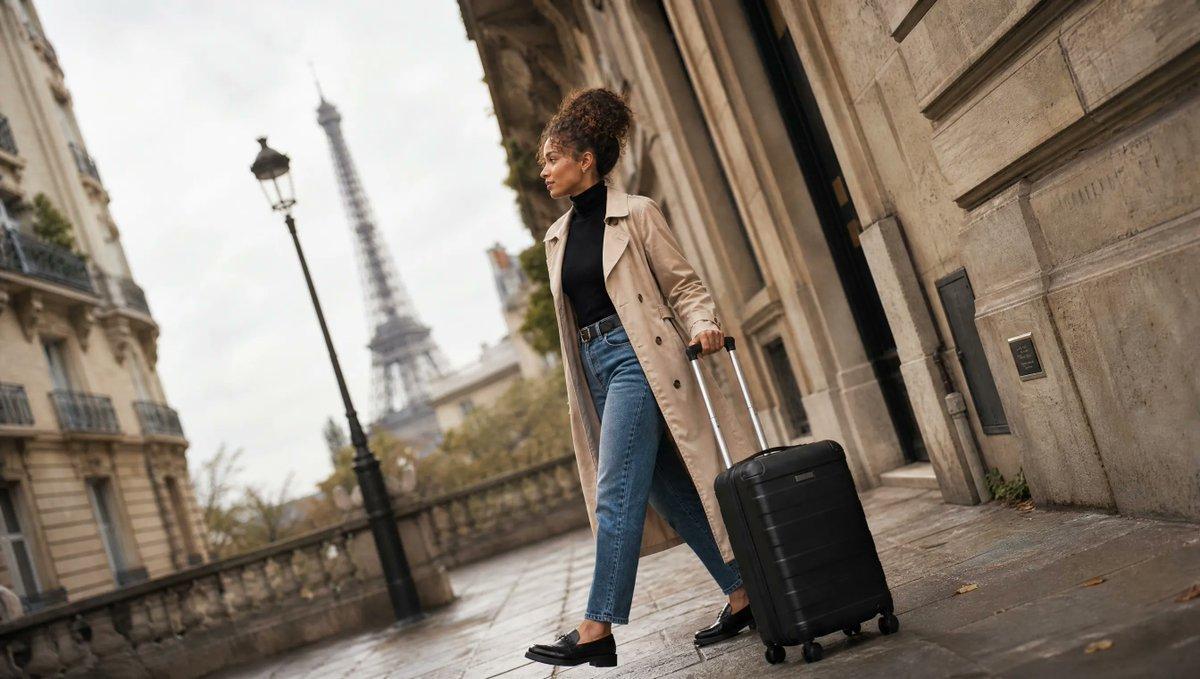
- Paris: trench coat and jeans, with Parisian architecture and the Eiffel Tower behind her.
- Tokyo: oversized denim jacket, white T-shirt, black pleated skirt and chunky sneakers on a neon-lit street.
- Marrakech: white linen shirt, terracotta trousers, sandals and straw hat in a souk.
- Airport: cream knit sweater, black leggings and white sneakers in a bright terminal.
The green-screen movement pass
Magnific generates the action against a green wall and floor before changing any destinations. Its base-video prompt specifies five shots:
- Handle grab, 2.5 seconds: close-up of the traveler extending the suitcase handle, with a fast push-in.
- Sideways walk, 3 seconds: low-angle tracking shot, keeping her full body centered as she pulls the suitcase.
- Wheel close-up, 2 seconds: ground-level view of the wheels approaching and passing the lens, with her sneakers alongside.
- Camera orbit, 3 seconds: a 180-degree arc from her side to her front while she keeps walking.
- Hero pose, 4.5 seconds: she approaches, stops, spins the suitcase and smiles into the lens as the camera pushes in.
Cut-by-cut scene replacement
Illusion then receives the green-screen clip and destination references. The conversion prompt asks it to preserve the timing, editing, camera movement, framing and performance while replacing the setting and clothing.
- Destination order: open in Paris, then switch on existing cuts through Marrakech, Tokyo, the airport and Paris, repeating as needed.
- Product identity: retain a matte-black hard-shell carry-on with vertical ribs, an aluminum telescopic handle and four black spinner wheels.
- Scene matching: adapt perspective, lighting, reflections and shadows to each location while keeping the stride and rolling suitcase continuous.
- Closing product shot: keep the suitcase centered and still while backgrounds cycle through Paris, Tokyo, Marrakech and the airport. Finish in Paris at golden hour with a long shadow.
- Closing text: preserve “WHEREVER YOU GO” at its existing position and timing in the base video.
A reusable character-and-set workflow
Creator techhalla's related demonstration replaces both the cast and the surrounding world. Techhalla shared the setup in a follow-up as a sign-in-gated Magnific Space, containing:
- Frame-zero images.
- Twelve sheets and locations.
- The green-screen take.
- Four conversions, wired into the workflow.
techhalla's character-and-environment transformation
Creative, Precision and Draft
Illusion runs on Seedance 2.5 and is available through Magnific, its desktop and mobile apps, and MCP, according to the launch announcement. Its controls separate the scope of a change from the preview stage:
- Creative: apply changes across the whole video's look.
- Precision: choose which subject changes and when.
- Draft: explore changes and test references before generating the final version, as demonstrated in the Draft walkthrough.
Clip limits and launch exclusions
Illusion's official FAQ lists these boundaries:
- Input: 2–30 seconds, up to 210 MB, in MP4, MOV, WebM or M4V.
- Output: 480p, 720p or 1080p. Draft renders at 480p; 4K is not included.
- Billing: existing Magnific account credits, with availability tied to plans that include Seedance 2.5.
- Launch exclusions: Relax mode, unlimited plans and Enterprise accounts.
- Footage rights: the source must be the creator's own footage or video they have the rights to use.