
DrSadek compares MAI Image 2.7 with GPT Image 2.5 and Nano Banana 2.1
DrSadek tested MAI Image 2.7, GPT Image 2.5 Sunburst Max and Nano Banana 2.1 with matching inputs. In sequential edits, MAI and Nano Banana recolored a seat that GPT preserved.
TL;DR
- Five matched editing tests compared MAI Image 2.7, GPT Image 2.5 Sunburst Max and Nano Banana 2.1 using the same images and prompts in DrSadek_'s comparison.
- All three handled the requested poster wording, but GPT used three lines where the others used two in the text replacement test.
- Sequential edits exposed an unwanted change: MAI and Nano Banana recolored a seat that GPT preserved, as documented in the three-edit example.
Microsoft claims a 24-Elo lead in scene and style editing over the next-best model. Meanwhile, a 2.7 editing promotion sits beside a 2.6 model label in MAI Playground’s interface.
MAI’s editing preview
Microsoft launched MAI Image 2.7 in preview on October 27. Its announcement reports improvements over 2.6 across all 10 use cases and seven editing actions evaluated by Artificial Analysis.
The in-house editor surprised DrSadek_, who hadn’t realized Microsoft already had its own editing model.
Four single-edit results
DrSadek_ used matching inputs across the three models in the five-test thread. The first four requests covered:
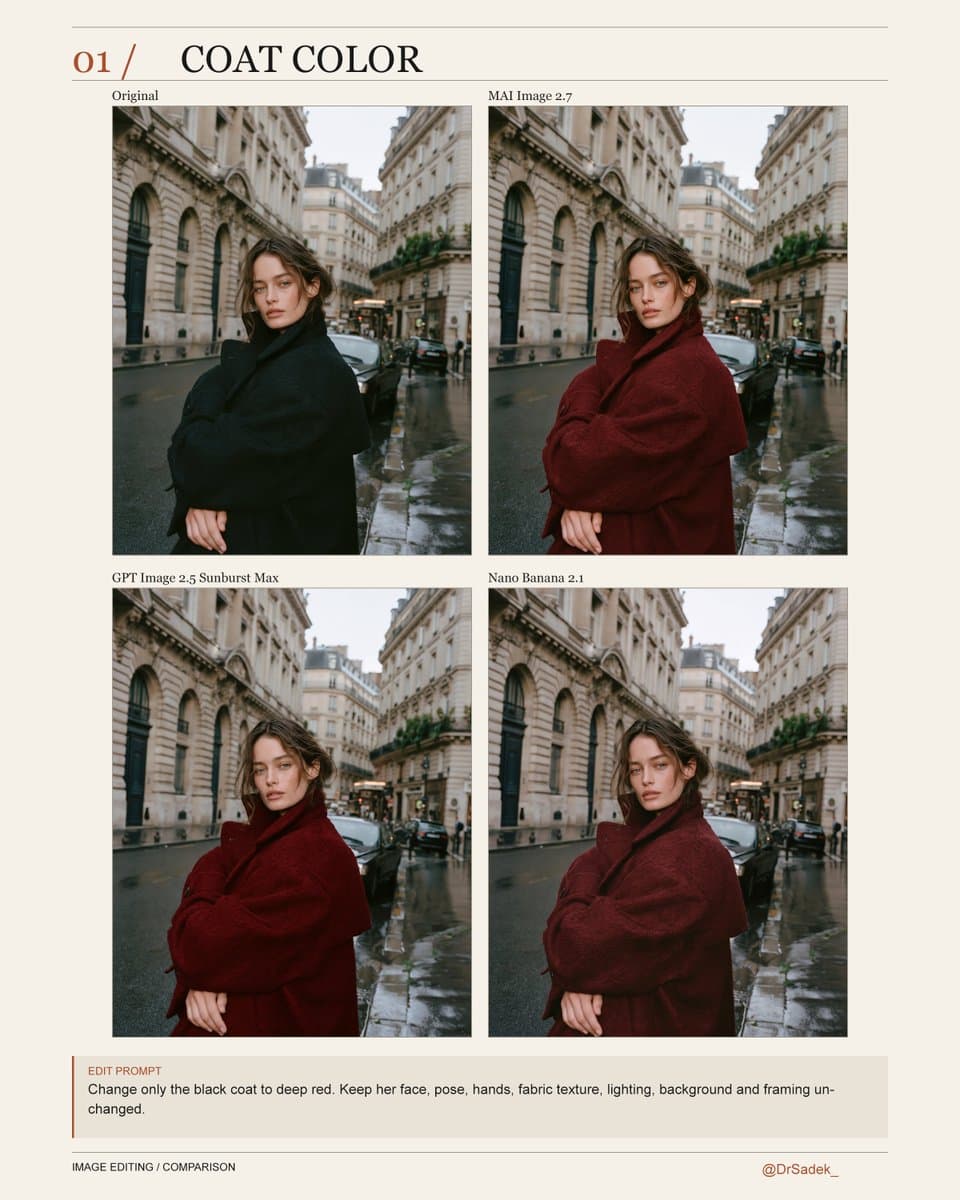
- Coat color: “Change only the coat to red.” All three did well, with differences mostly in shade, according to the coat test.
- Relighting: Change daylight to evening. MAI and GPT produced warmer results; Nano Banana kept the scene cooler.
- Object replacement: Replace perfume with a ceramic vase. All three worked, with different shapes and proportions in the object swap.
- Poster text: All three got the wording right. GPT arranged it across three lines; MAI and Nano Banana used two.
Three edits and an unwanted seat recolor
DrSadek_ applied three edits in sequence:
- Make the cushion blue.
- Make the collar red.
- Change the setting to a recording studio.
The telling detail was collateral recoloring: MAI and Nano Banana also changed the seat underneath, while GPT left it yellow.
Playground access and the 2.6 label
Image editing is available through MAI Playground. DrSadek_ reported that uploading an image uses 2.7 even though the selector says 2.6, and singled out relighting as his favorite result.
The preview starts with editing existing images. Text-to-image generation remains “coming soon,” with no launch date given, according to OpenTools’ account of the announcement.