
Ideogram Vector converts illustrations into editable shapes
Ideogram Vector converts artwork into individually editable shapes. Tests cover detailed illustrations, selective recoloring and SVG logos; the tool is available in Ideogram and its API.
TL;DR
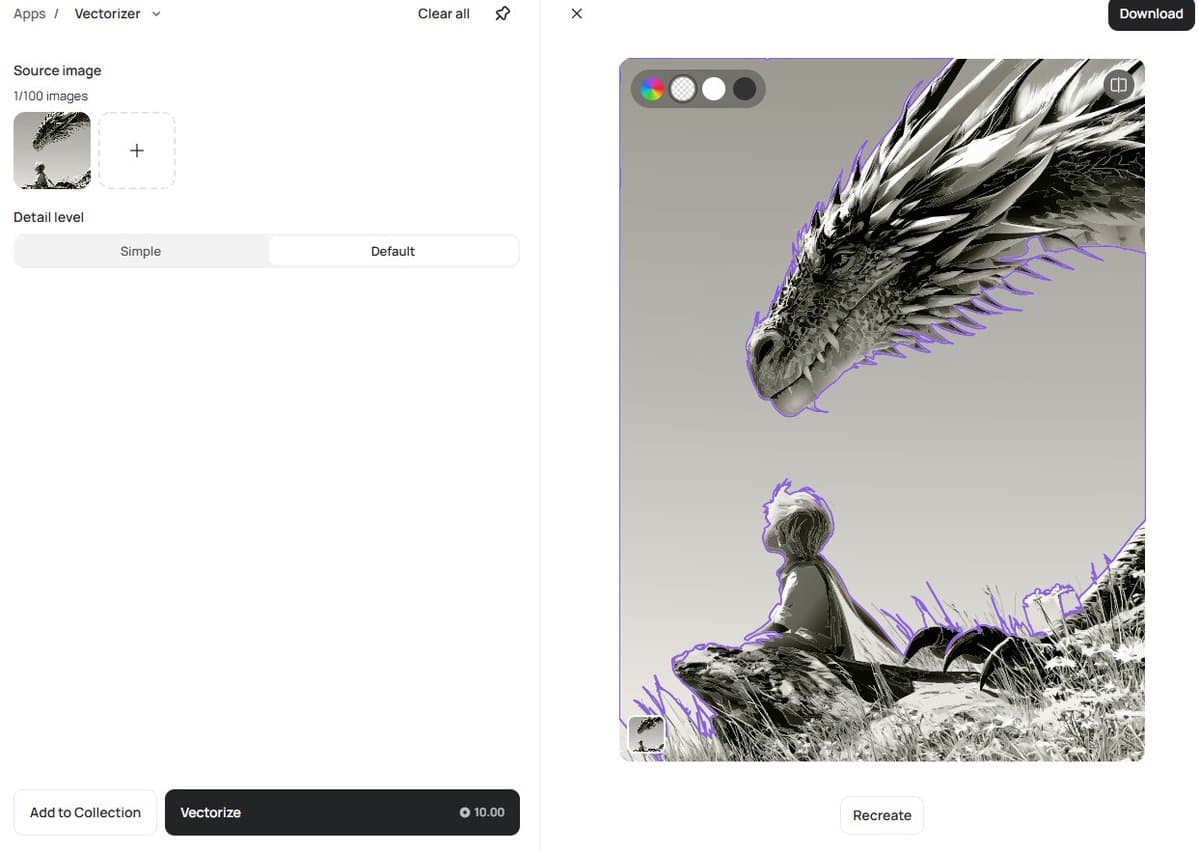
- Existing illustrations can become editable SVGs: AllaAisling reported preserving a dragon’s scales, spikes and grass as clean shapes.
- Recoloring can stay local to one element, as demonstrated in Higgsfield’s tram test and its tiger-badge test.
- Logo outputs can be compact: Higgsfield’s redesign sequence reports SVGs down to 12 paths and 4 KB.
- The tool is available in Ideogram and its API, according to AllaAisling’s follow-up.
A wordmark demo on Ideogram’s official page shows an accent shape being resized and rotated independently. The interactive gallery doubles as a shape inspector, with outlines revealed on hover and arrow-key navigation between shapes.
Text-to-SVG and image-to-vector
Ideogram Vector has two starting points, described on its official product page:
- Text to vector: describe a design and generate an editable SVG.
- Image to vector: convert existing artwork, compare the source with the SVG, then inspect its individual shapes.
AllaAisling tried the second route with a detailed dragon illustration. The reported result preserved small details as editable shapes; text-to-SVG was still on the creator’s to-try list.
The official examples extend beyond flat icons into typography, illustrations, print designs and branding. Finished SVGs support color changes and individual-shape refinement in a vector editor.
3,000% zoom
Higgsfield staged a side-by-side comparison with Nano Banana Pro at 3,000% magnification, demonstrating the SVG’s crisp edges against the raster output’s pixelation.
Ideogram also demonstrates the same artwork moving from a small label to a large poster on its product page. Both demonstrations concern scaling; neither supplies a broader comparison of image-generation quality.
Selective recoloring
Higgsfield demonstrated two targeted color edits:
- Tram: change the vehicle’s color while leaving the surrounding scene’s palette alone.
- Tiger badge: recolor the tiger while preserving the rest of the badge.
The recoloring demos sell the tool better than the zoom tests.
Logos with 12 paths
Higgsfield took one logo through what it described as a century of redesigns, reporting clean SVG versions down to 12 paths and 4 KB.
Those figures belong to the showcased logo outputs, rather than the detailed illustration conversions. AllaAisling’s dragon post gives no corresponding path count or file size.
Vector motion comics
Higgsfield also published a motion comic made with Ideogram Vector, describing the artwork as entirely vector and every line as editable.
The post credits Higgsfield but supplies no animation or export workflow, so it doesn’t establish how the editable artwork was turned into the finished clip.
API prices
Availability extends to both the Ideogram app and API.
API output is priced per SVG, with these published rates in USD:
| Operation | Prompt only | With references |
| --- | ---: | ---: |
| Text to vector, Low | $0.13 | $0.13 |
| Text to vector, Medium | $0.16 | $0.16 |
| Text to vector, High | $0.20 | $0.32 |
Converting an existing image costs $0.10 per image. High-quality generation is the only listed tier with a higher price when references are supplied.
API access sits under the avatar’s API menu, according to the management documentation. Developers select their account or organization workspace before creating a key.