
Nano Banana adds brand playbooks for 85mm macro worlds and moss-logo prompts
Creators published reusable Nano Banana templates for moss-textured logos, miniature macro worlds, style-led slides, and hyper-detailed portraits. Lock one variable and feed clear reference images to get more reliable outputs.
TL;DR
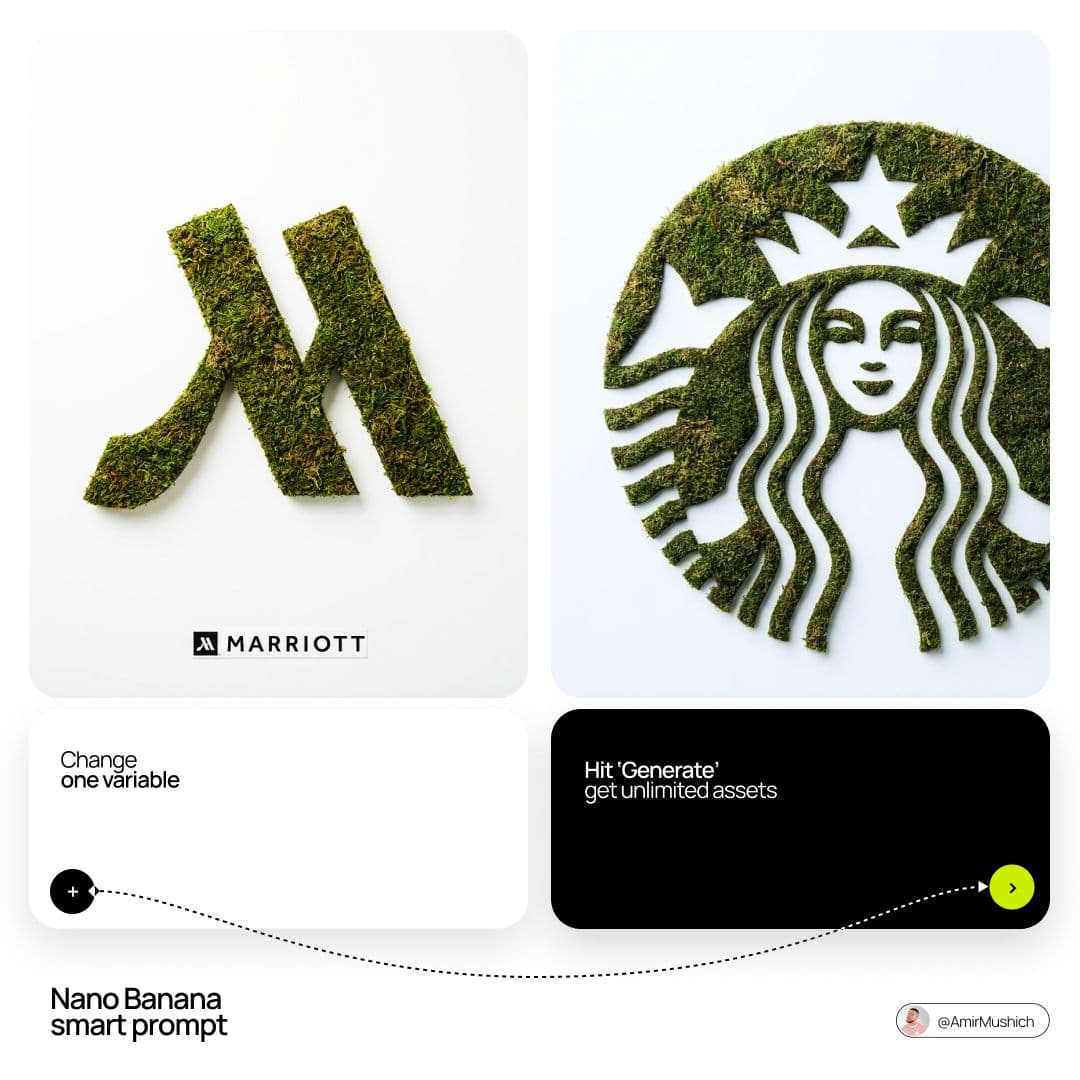
- Reusable Nano Banana templates are coalescing around brand and ad mockups: Amir Mushich shared an eco-textured logo recipe that turns a brand mark into a moss artifact with a tiny signature block, while a companion thread points to more team prompts and workflow packs moss logo prompt 10 more prompts.
- Another strong pattern is miniature product-world building: ImagineArt’s daily prompt fixes the camera at an 85mm macro look, shallow depth of field, and micro-surface detail, then swaps only the everyday object to generate new scenes macro world prompt.
- Creators are also publishing much longer structured prompts for realism. One Nano Banana 2 example specifies subject, pose, lighting split, environment, constraints, and a negative prompt to push social-photo portraits toward consistent output portrait JSON prompt.
- Reliability advice from users is getting more concrete: according to slide workflow post, Nano Banana slide decks look repetitive without reference images, while fixed-variable prompt systems like cloud logos and hidden-object compositions show how templating one core idea can generate many assets fast cloud logo thread hidden objects demo.
What playbooks are spreading
The biggest shift here is not a new model release but a more mature prompt format. Mushich’s moss-logo template is a full brand playbook: exact logo geometry, dense green moss material, top-down flat lay, matte white background, diffused studio light, and a strict rule that text appears only in a tiny signature block at the bottom. The result is less “make me a green logo” and more a reproducible packaging shot for identity systems full moss prompt.
ImagineArt’s miniature-world prompt uses the same logic for surreal ads and editorial art. It locks the lens choice, aperture feel, lighting direction, scale cues, and surface imperfections, then changes only the hero object — watch, phone, bottle, computer — to produce a new tiny civilization each time. That “change only the everyday object” instruction is doing most of the work.
What the prompts lock down
The portrait template circulating as “Nano Banana 2” reads more like a production brief than a text prompt. It breaks the image into subject description, expression, makeup, body, pose, clothing, camera style, background, mood, must-keep constraints, and a long negative prompt. The linked prompt library frames this as a broader catalog strategy rather than a one-off post.
The same structured specificity shows up in simpler community recipes. The cloud-logo example keeps the concept fixed and asks users to change one variable for unlimited assets cloud logo thread, and even style-heavy Midjourney-style experiments like “the pink punk forest” foreground a compact stack of parameters — --exp, --quality, multiple --sref values, and --stylize 500 — instead of vague aesthetic language pink punk forest.
Where the workflow gets more reliable
The clearest practical lesson from creators is that reference images matter more than prompt length alone. In a slides example, gokayfem argues that Nano Banana presentations converge on the same visual treatment when users skip style references; the posted examples show the same scientific material re-rendered with brighter infographic and monochrome sketch looks once references are introduced.
That matches the stronger demos in the thread. Hidden-object art made in Adobe Firefly with Nano Banana 2 works because the task is tightly constrained — five target objects, one amber scene, one game-like objective — while the macro worlds, moss logos, and product-focus prompt experiments all reduce randomness by pinning composition, material, or camera language before swapping a single element product focus prompt.