
OpenArt adds Seedance 2.0 with text-plus-reference video workflows
Creator and partner posts say OpenArt added Seedance 2.0 with text-plus-reference video workflows, including two-photo animation and AI spokesperson demos. The early material centers on reference-image control rather than low-level model settings, so use it for guided generation.
TL;DR
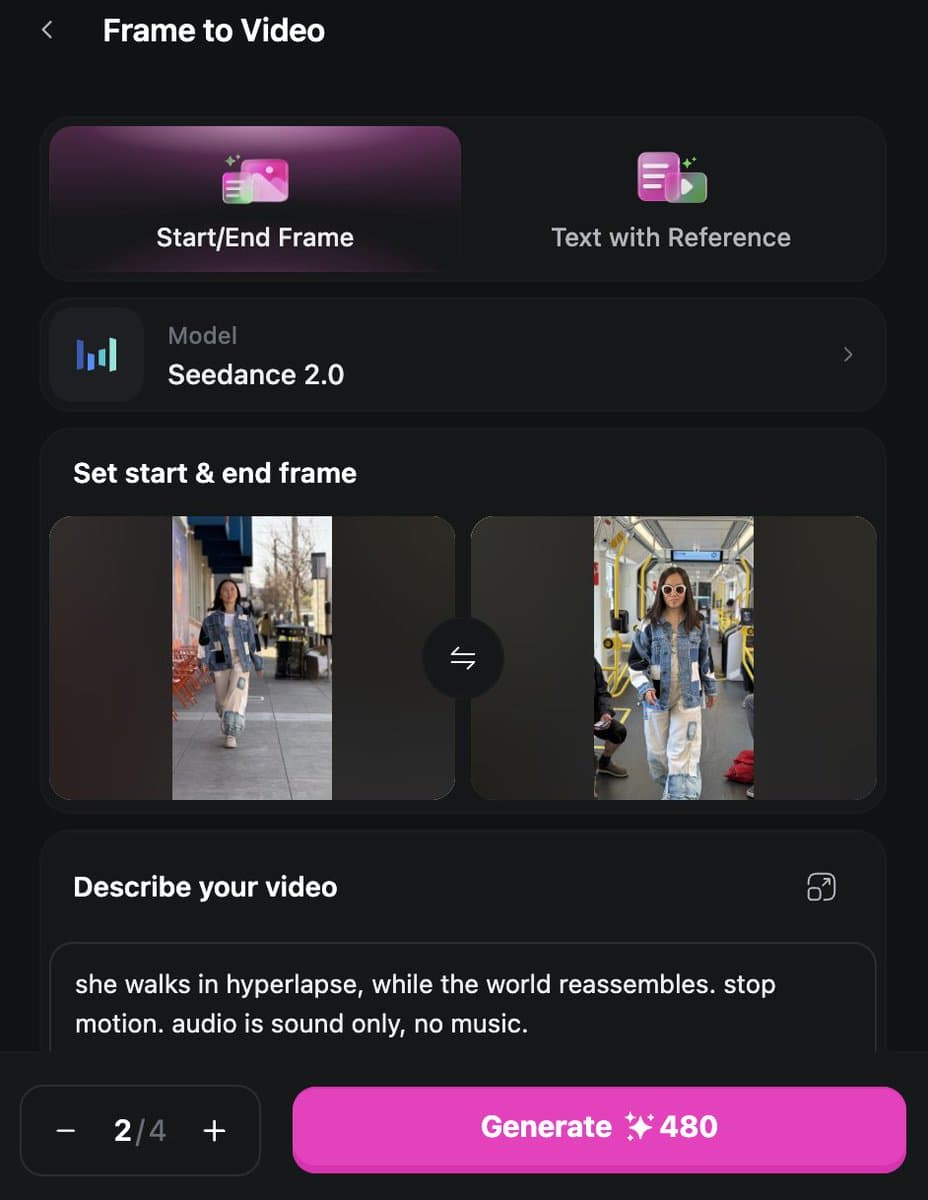
- OpenArt has added Seedance 2.0 on its model page, where the UI foregrounds start-plus-end-frame, text-to-video, video-to-video, and motion reference, while Min Choi's rollout post called the release global.
- The early creator examples are all about guided generation: Karen X Cheng's tutorial turns two photos into a video sequence, and Min Choi's prompt walkthrough uses a long scene list plus a "consistency lock" to hold one character across multiple shots.
- OpenArt's own Seedance page says the model accepts text, images, video, and audio, with up to 9 images, 3 audio files, and 3 videos as references, plus native audio generation and lip-sync on the platform's side of the workflow, according to the product page.
- BytePlus is pitching the same model as a production tool, not a toy: the official tutorial emphasizes video generation, editing, and extension from multimodal inputs, while the official release page sells prepaid plans with 4 to 15 second outputs and 480p or 720p options on its entry tier.
You can browse OpenArt's model page, jump into the broader OpenArt video workspace, and compare that creator-facing layer with BytePlus's more infrastructure-flavored Seedance tutorial and release page. The fun part is how little of the early buzz is about hidden settings. It is all reference images, shot design, and scene consistency.
Reference-first controls
OpenArt is presenting Seedance 2.0 less like a raw model endpoint and more like a guided video surface. On OpenArt's product page, the visible entry points are text prompts, reference uploads, motion reference, and start-plus-end-frame controls.
That framing matches the launch examples. Min Choi's attached prompt is basically a mini shot list: four travel scenes, a handheld phone aesthetic, and a final consistency rule that keeps the same face and build while clothes and locations change.
The broader OpenArt workspace also pushes video modes as separate workflow blocks:
- Text to Video
- Frame to Video
- Motion Sync
- Lip-Sync
- Edit Video
Two-photo animation
The cleanest demo in the evidence set is also the most practical one. Karen X Cheng says the clip was made from just two photos inside OpenArt, then follows with a prompt handoff in her thread reply.
That is a useful tell about where the product is landing first. The workflow is not sold as low-level parameter tuning. It is sold as turning a tiny reference set into a finished motion piece with the prompt doing the stitching.
Camera-led examples
The strongest examples lean hard on camera language. Alla Aisling's prompt specifies a fast FPV chase, downward tilts to show drop distance, side tracking during jumps, reverse tracking on approach, and a final tight follow shot, all while insisting on believable physics.
Min Choi's sample reaches for a different style, first-person travel vlog footage with slight shake, montage pacing, and scene-to-scene continuity from one reference identity. Across both posts, the pattern is the same: creators are using Seedance 2.0 in OpenArt like a shot planner that happens to render the footage.
BytePlus packaging
OpenArt's creator marketing sits on top of a more industrial Seedance stack. The official BytePlus tutorial describes Seedance 2.0 and Seedance 2.0 Fast as models for video generation, editing, and extension from text, image, video, and audio inputs, with claims around detail recovery, camera movement control, and consistent characters.
Two packaging details matter because they do not show up in the creator posts. First, the same tutorial says users need to buy a prepaid resource pack before activating the Seedance 2.0 models. Second, the official release page pitches a light plan around roughly 28 480p videos, 480p or 720p resolution options, 4 to 15 second durations, and up to 10 concurrent tasks.
That split explains the launch tone. OpenArt is selling the front end, reference images, prompt structure, and fast demos. BytePlus is selling the engine, task limits, and production packaging underneath.