
Hedra launches Agent: fashion references become campaign images and video sets
Hedra introduced Agent as a guided visual creation workflow, and creators are already using it to turn reference packs into coordinated fashion campaign assets. Try it if you want one conversational workspace for variations, shot ideas, and image-to-video expansion.
TL;DR
- Hedra introduced Hedra Agent as a single agent for visual understanding and creation, positioning it as a workflow that takes a project from idea to finished content.
- Early creator demos show a fashion campaign thread using Hedra Agent to turn reference images into a coordinated ad set, with Kling AI 3.0 and Nano Banana Pro named as part of the stack.
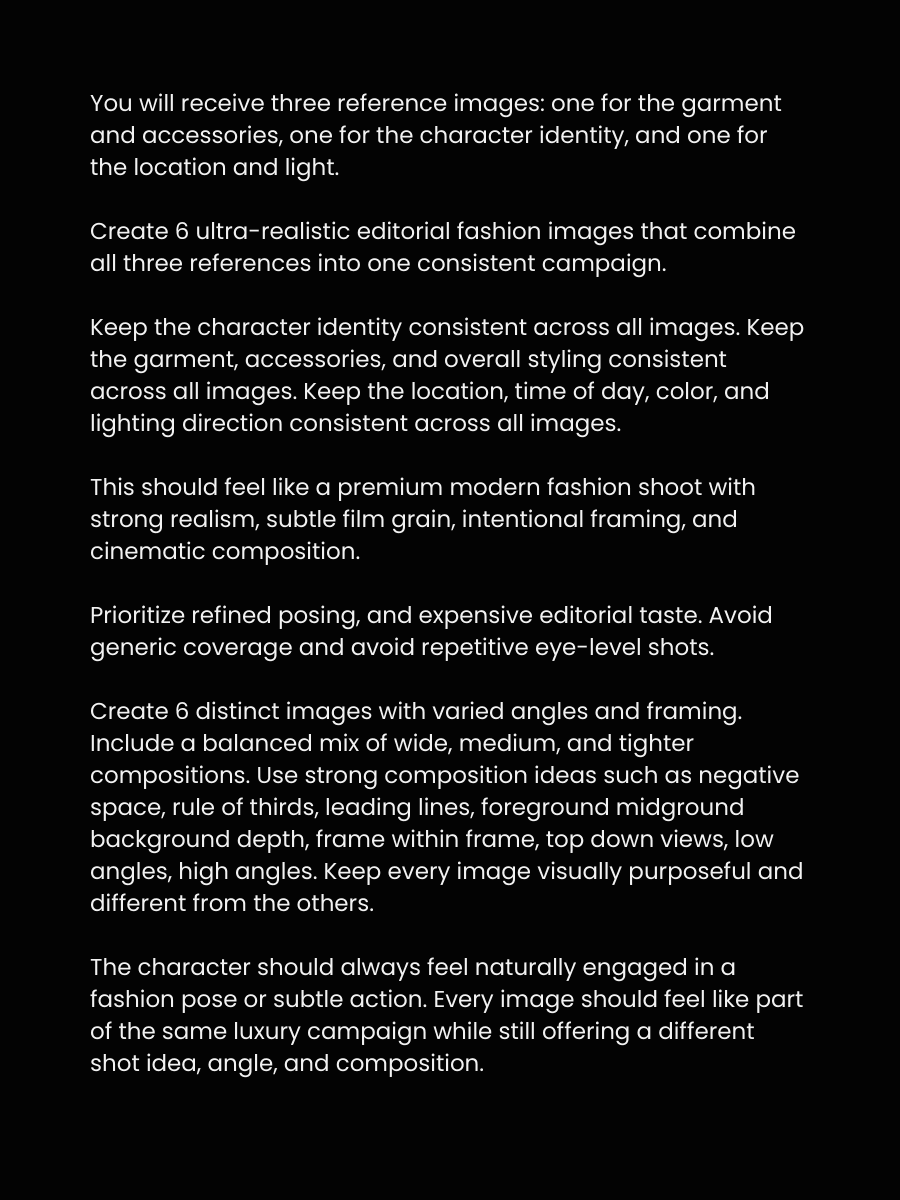
- The clearest workflow detail from the prompt post is a three-reference setup: one image for location, one for the character, and one for the outfit or product.
- In follow-up posts, the creator walkthrough says the agent can suggest ideas, generate more variations, and expand stills into video without the usual prompt-by-prompt back-and-forth.
What shipped
Hedra's launch post frames Agent as a unified system for both reading visual context and making new assets, not just a single-purpose image model. The product pitch is a conversational workspace where the user starts from an idea and the agent carries more of the creative planning and execution.
That positioning matters because the first creator examples are not isolated hero images. In the campaign demo, the result is presented as a full fashion campaign built from references, suggesting Hedra wants Agent used for multi-asset production rather than one-off generations.
How the fashion campaign workflow works
The most concrete recipe comes from Halim Alrasihi's thread. He says the campaign used Hedra Agent with Kling AI 3.0 and Nano Banana Pro, then shares a simple input structure: feed one reference for the setting, one for the person, and one for the clothing item or product, as described in the prompt instructions. A short demo video Campaign walkthrough shows the output packaged like ad creative rather than moodboard experiments.
The interaction model is also more directed than classic prompting. In the workflow step, after the first prompt the agent starts proposing ideas and can either wait for approval or continue automatically. A later post says you can talk to it in natural language to request new angles, extra variations, or image-to-video expansion, with the agent using chat and image context to keep the campaign coherent natural language controls.