
InVideo Agent One adds Slate Editor control in short-film demos
New InVideo Agent One demos show creators turning scripts into visual previews and finishing short films with Seedance shots. The workflows suggest creators can use Slate Editor control and Midjourney previews to tighten editing before animation.
TL;DR
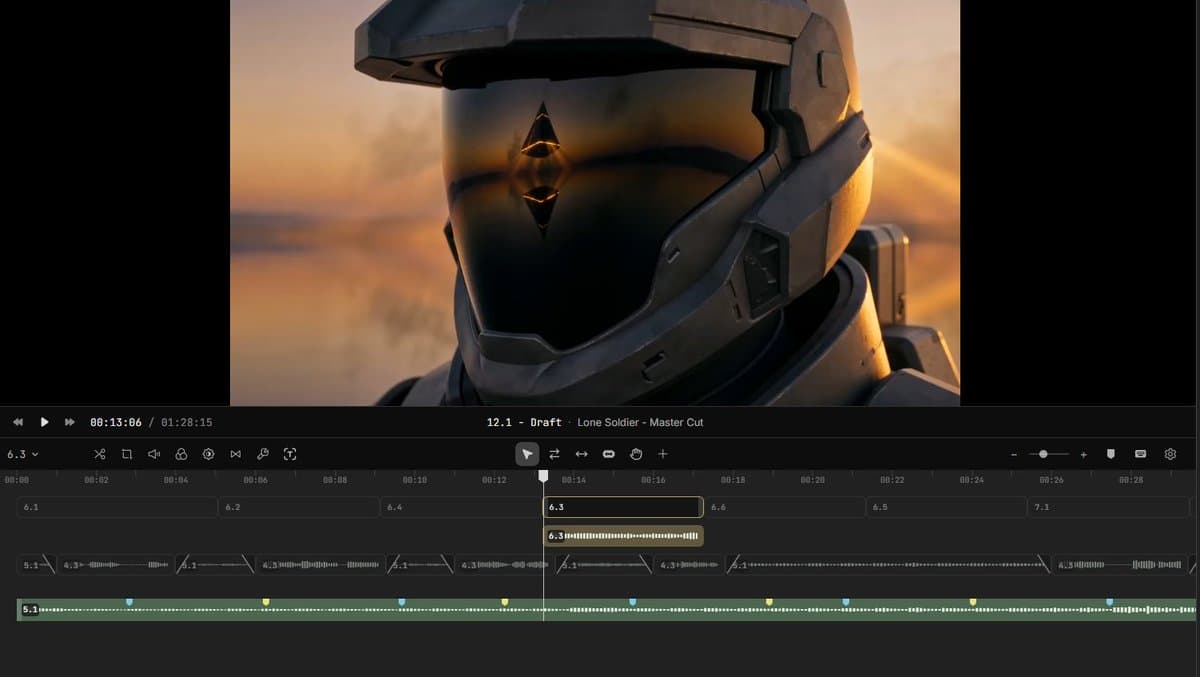
- AllaAisling's Slate Editor post frames InVideo's new Agent One demos around control, not one-shot prompting, and says creators stay in charge at each step.
- In Anima_Labs' film thread, Agent One is used to turn a script into a story plan, a Midjourney style preview, and then an animated short.
- AllaAisling's sci-fi short shows Agent One attached to a finished cinematic sequence, not just a storyboard or mood test.
- The adjacent creator threads around Seedance and Blender, including techhalla's Blender MCP workflow and Bilawal Sidhu's camera-control post, point to the same shift: people are adding planning and camera control before the final video render.
You can browse the Slate Editor post, watch the sci-fi Agent One demo, and compare it with Anima_Labs' strawberry-tart film built from script, Midjourney previews, and animation. The surrounding evidence is just as telling: one Seedance workflow uses Blender for camera paths before style transfer, while another post argues that directing a shot is starting to beat slot-machine prompting.
Slate Editor
The clearest product reveal is the wording in AllaAisling's post: Agent One acts as a partner, while Slate Editor is the place where the creator keeps control. That is a different pitch from pure text-to-video tools that hide most decisions behind a single prompt.
The sci-fi demo pairs that claim with a finished result. Agent One sci-fi short
Script-to-preview flow
Anima_Labs' thread is more useful than the polished trailer language because it names the sequence directly:
- script development in Agent One
- visual preview in Midjourney
- animation to final short
That stack is lightweight, but it gives creators three separate checkpoints before they commit to motion. The tart film in Anima_Labs' final short reads like proof that InVideo is leaning into previsualization, not only generation.
Control stacks
Outside InVideo, the strongest related pattern is more control layers before render. In techhalla's workflow, Blender MCP handles scene building and camera movement, Magnific Spaces handles reference stills, and Seedance 2.0 handles the styled output.
- Blender MCP for terrain, assets, and camera path, according to techhalla's thread walkthrough
- Magnific Spaces for turning the start frame into reference stills, per techhalla's node screenshot
- Seedance 2.0 for the final style-transfer video, as shown in techhalla's viewport style-transfer demo
Camera moves by phone
Bilawal Sidhu's post adds one more concrete wrinkle: recording a camera move on a phone can now be a faster way to specify motion than rewriting prompts. His follow-up says the same approach is only becoming viable now because models like Seedance and Omni are finally good enough to preserve that direction.
That makes the Agent One demos feel less like isolated marketing clips and more like part of a broader creative stack, where scripting, shot planning, and camera intent are moving back in front of the generator.