
ChatGPT Images 2.0 supports 10x10 grids with readable labels
Creator tests pushed ChatGPT Images 2.0 into readable infographics, dense search-and-find scenes, fake UIs, code windows and brand kits. The results matter because layouts and text held up in formats older image models usually break, though some structured prompts still fail.
TL;DR
- ProperPrompter's launch test and hckmstrrahul's follow-up both showed ChatGPT Images 2.0 holding a full 10x10 grid of distinct items with readable labels, a format older image models usually mangle.
- Text-heavy layouts looked strongest in egeberkina's recipe board, Artedeingenio's Spanish history infographic, and DavidmComfort's protein chart, where titles, captions, and section blocks stayed legible at poster density.
- Fake interfaces were another breakout use case: omooretweets' X feed mockup, chrisfirst's Instagram profiles, and hckmstrrahul's mobile UI screens all leaned on clean typography and recognizable product chrome.
- LLMJunky's VS Code thread pushed the model past static mockups into code-like screenshots, while goodside's chess board test argued the model can generate helper images via code for structured tasks.
- The same evidence pool also showed limits: egeberkina's World Cup bracket contained bracket inconsistencies, and petergyang's request for tips suggested brand-matching and infographic prompting still need work.
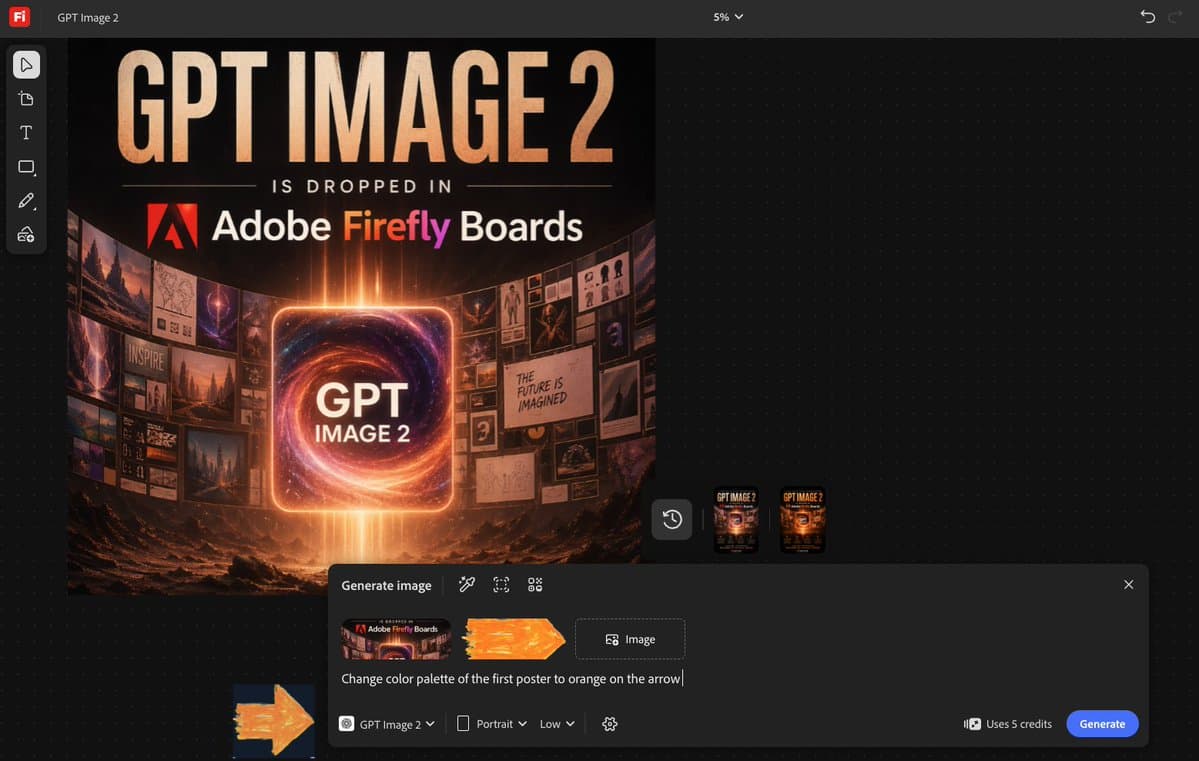
Freepik already exposed a prompt-first GPT Image 2 surface, PromptsRef published a public generator page, and icreatelife's Firefly post said Adobe Firefly Boards had day-zero access. egeberkina's Photoshop for ChatGPT walkthrough also pointed to direct in-chat editing, while underwoodxie96's annotated dashboard example showed the model drawing instructions onto a screenshot instead of only explaining them in text.
10x10 grids
The cleanest party trick in this launch window was dense grid layout. ProperPrompter's first test asked for 100 fantasy RPG items in a 10x10 inventory sheet, and the follow-up image in ProperPrompter's full grid post shows distinct sprites and readable labels across all ten themed rows.
That pattern held outside game icons. hckmstrrahul's tech map used the same 10x10 structure for an "AI Models and Agents" board with category headers, numbered entries, and tiny illustrations that still scan as a real reference sheet.
The prompt structure in icreatelife's search-and-find formula hints at why this works well: the successful examples over-specify rows, categories, and local constraints instead of asking for one vague "infographic."
Infographics and multilingual text
The text jump is the story creators noticed first. Artedeingenio's Spanish-language infographic packed a timeline, map, org chart, and section headers into one board, while egeberkina's recipe layout kept ingredient labels, step names, and short instructions readable enough to function like a real cooking card.
Across the evidence pool, the strongest formats shared a few traits:
- short titles plus short labels, as in the pasta card
- rigid sectioning, as in the Felipe II poster
- domain diagrams with fixed terminology, as in DavidmComfort's sortase family chart
- brand or editorial spacing that gives text room, as in freepik's keynote layout and freepik's magazine spread
Not every structured graphic landed cleanly. egeberkina's tournament bracket looked sharp at a glance, but its OCR shows duplicated paths and contradictory match progressions.
Search-and-find scenes and poster-grade composition
Search-and-find scenes are a good stress test because they need crowd density, consistent style, and a target hidden at the right difficulty. icreatelife's New York scene managed all three, then the posted prompt formula broke the task into micro-scenes, environmental objects, title treatment, character description, camera angle, and lighting.
Poster work looked similarly robust when the prompt specified typography, print texture, and layout zones. underwoodxie96's sci-fi poster kept a festival-poster structure intact, and AllaAisling's Firefly Boards examples used alt-text prompts with explicit type placement, paper wear, and color palette.
The same composition skill also powered novelty formats. GlennHasABeard's hidden-object board turned a cluttered tabletop into a playable puzzle, and venturetwins' manga page showed the model keeping an eight-panel story readable across multiple speech and caption blocks.
Fake UIs and code windows
A lot of the most shareable tests were fake software. omooretweets' X screenshot recreated feed chrome, handles, and trending modules closely enough to feel like a product screenshot, while chrisfirst's Instagram profiles and venturetwins' Reddit homepage extended the same trick to social profiles and front pages.
The more interesting leap was code-shaped UI. LLMJunky's thread opener framed the model as rendering a VS Code window, but the follow-ups asked for complete HTML programs inside the editor:
- Conway's Game of Life in the LIFE prompt
- boids flocking in the BOIDS prompt
- Matrix rain with a speed slider in the MATRIX prompt
- a rotating wireframe cube in the CUBE prompt
- a Lorenz attractor in the LORENZ prompt
That overlaps with goodside's Chess960 example, where he said the model handles longer PGN because it creates helper images via code. The common thread is not just prettier text, it is structured rendering that appears to benefit from intermediate symbolic scaffolding.
Brand kits, CVs, and day-zero surfaces
Brand-pack outputs turned up fast. venturetwins' A16Z INFRA sheet bundled palette values, typography, slogan blocks, and swag mockups into one board, and icreatelife's CV example pushed the same layout logic into résumé format.
The day-one distribution was unusually broad in the evidence set:
- fal's day-zero post said GPT Image 2 was live on fal
- icreatelife's post said it was live on Adobe Firefly Boards
- Figma's post said it was rolling out in Figma and Figma Weave
- Freepik's announcement put it in Pikaso with public prompts on Freepik
- underwoodxie96's link post pointed users to PromptsRef's GPT image generator
That rollout pattern helps explain why the evidence pool looks less like one launch thread and more like a creative stress test lab.
Annotated screenshots and iterative edits
One distinct workflow showed up late in the evidence window: using Images 2.0 to modify an existing screenshot instead of generating a fresh scene. egeberkina's Photoshop for ChatGPT post described connecting Photoshop inside ChatGPT, uploading an image, and editing it directly in chat.
The most concrete example came from underwoodxie96's Google Ads post, where the model took a dashboard screenshot and overlaid arrows, highlighted controls, and numbered instructions in Chinese. That is a different use case from fake UIs. It is closer to interactive documentation, where the image becomes the answer.
That same workflow also seems to prefer stepwise edits over one monster prompt. egeberkina's iteration note said long prompts trigger full regeneration, while smaller preserve-and-change edits keep the image stable.