
Adobe Firefly supports Boards reference workflows for food, beauty, fashion, and interiors
Firefly Boards is being used as a visual staging area: drop ingredients, makeup, garments, or furniture into one board, then generate a polished final image from those references. That cuts prompt guesswork and speeds art direction when you need variants, comps, or styled spaces.
TL;DR
- Adobe Firefly Boards is showing up as a reference-first workflow: creators drop source elements onto a board, then prompt from that assembled visual instead of describing everything from scratch, as the main demo and the follow-up post show.
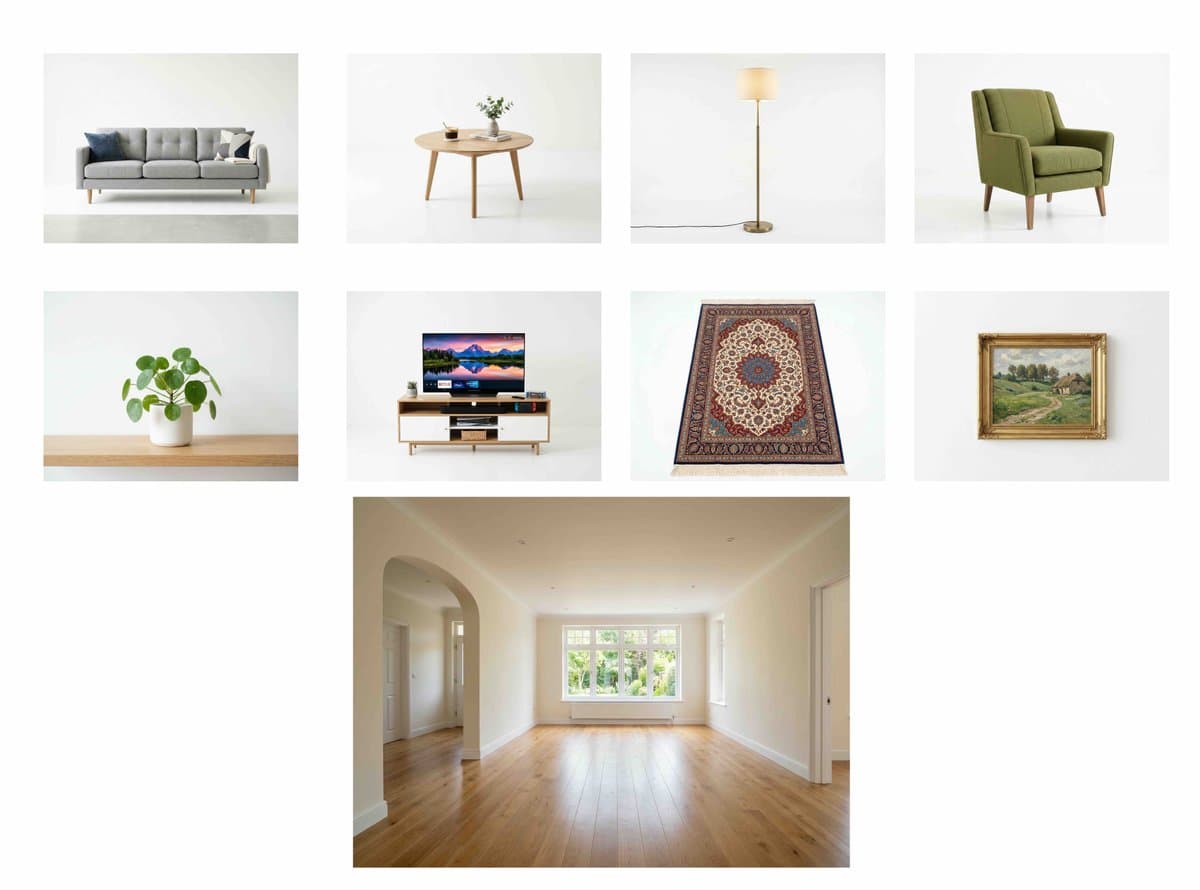
- In the examples so far, the same method works across beauty, food, fashion, and interiors: makeup products become an editorial face look, fruit becomes a styled drink shot, garments become five outfit variants, and furniture pieces turn an empty room into a finished scene makeup demo smoothie demo fashion demo interior demo.
- The creative upside is less prompt guesswork and more art direction by composition: the board acts like a moodboard with actual ingredients, products, or props already placed in frame workflow thread.
- The public demos are promotional rather than product docs: the creator says the thread is sponsored by Adobe, but the outputs still give a concrete look at how Boards can be used for fast concepting and variant generation sponsored thread.
How the workflow works
The core move is simple: build the shot visually first, then ask Firefly to render the finished image from those references. In the main post, ingredients are dropped into Firefly Boards and used to generate a polished food visual; the attached Boards workflow video shows the board acting as a staging area before generation.
That same structure carries into other categories. According to the beauty example, lipstick, blush, and eyeshadow are placed on the board first, then the prompt asks for “realistic application” and “seamless blending” in a high-end editorial style. In the drink example, generated fruit references become a clean food-photography juice image. The common pattern is reference layout first, prompt second.
What creators are making with it
The strongest use cases here are workflows that usually require a lot of visual guessing. In the interiors post, furniture pieces plus an empty living room are turned into a “fully styled interior scene” with modern design and clean lighting. In the fashion example, multiple clothing items are used to generate five outfit combinations from the same set of pieces, which is closer to styling exploration than one-off image prompting.
This also suggests why Boards may matter more to art directors than prompt tinkerers. The creator is using it to lock in product selection, palette, and object relationships before generation, which makes it useful for comps, client-facing options, and rapid direction changes. A separate Firefly user post also points to creators testing different image models inside Firefly, reinforcing that the platform is being used as a broader visual experimentation layer rather than just a single prompt box.