
Photoshop beta adds Rotate Object: creators report 20-credit turns
Photoshop beta adds Rotate Object, and creators say each new 2D viewing-angle turn uses 20 generative credits. Test it for post-shoot angle fixes and mockups, then budget credits before batch use.
TL;DR
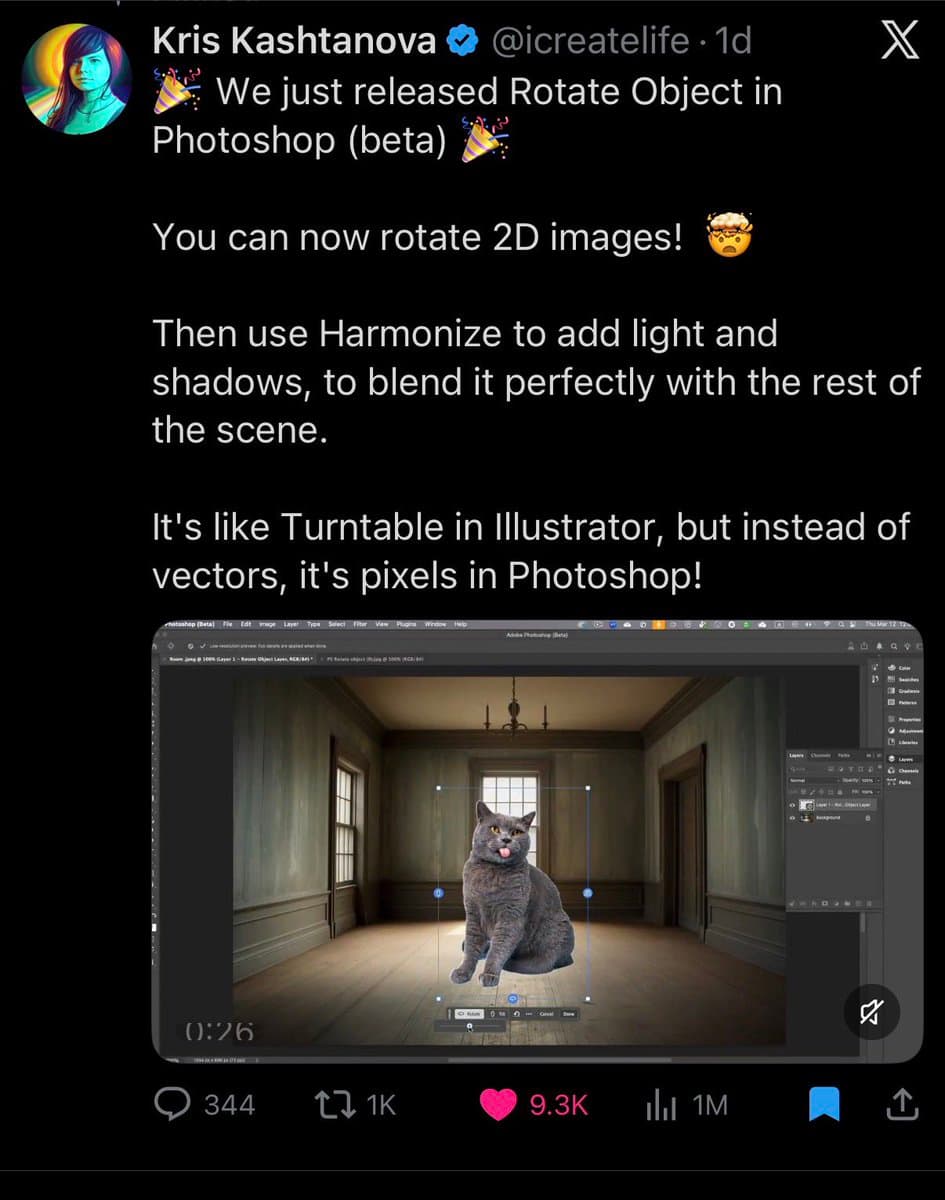
- Photoshop beta has a new Rotate Object feature that creators describe as turning a flat cutout into a new viewing angle, with creator demo thread and release screenshot framing it as a way to rotate 2D images inside Photoshop.
- Early demos center on practical compositing rather than novelty: demo video shows angle changes for product-style objects, and the same thread says it helps when a shoot is finished but the needed angle is missing.
- Creators also say usage has a cost. In a reply about access, credit reply says each rotate requires 20 generative credits, while subscription reply says it sits in Photoshop via Firefly and needs a Creative Cloud subscription.
- The first wave of examples is already broader than product shots, with brand mockup example pointing to personal-brand mockups and art rotation example highlighting rotated artwork as another immediate use case.
What shipped
Rotate Object appears to be Photoshop beta's new way to change the camera angle of a 2D image without rebuilding the asset from scratch. In the strongest summary captured so far, the release screenshot says, "You can now rotate 2D images," then pair the result with Harmonize to add light and shadows so it blends back into the scene.
That combination matters for compositors. The feature is being pitched less as a surreal image trick and more as a missing bridge between cutout placement and scene matching: rotate the subject first, then relight it to sit naturally in the plate. A widely shared repost from Adobe creator circles launch repost echoes the same workflow framing.
How creators are using it — and the cost to watch
The clearest creative use case is post-shoot recovery. In the demo video, the tool is shown rotating an object inside Photoshop, and the accompanying text says it is "perfect" for the moment when a photoshoot is done and a different angle turns out to be necessary. That makes it immediately relevant for product mockups, ad comps, and fast social variations where reshooting is expensive.
Creators are also testing it for identity and illustration work. The thread's brand mockup example points to personal-brand assets, while art rotation example shows artwork being turned for alternate views and layouts. The main practical caveat is budget: according to credit reply, each turn costs 20 generative credits, and subscription reply says access runs through Photoshop with Firefly under a Creative Cloud subscription.